Post | 24 May 2026
As I finish up the part-time HLA I've been studying through my work, with the final assignment submitted and the need to attend now complete, I had decided to throw myself into the next big personal development project. That being a prototype of an app that I think will eventually be sold commercially on the App Store. Other than my day job there is nothing else taking up the mind-share of mental energy when it comes to learning and building, now that college is done.
A simple and logical conclusion but with all these hours to throw at it, that's exactly what I did. Initial progress is rapid and fun - getting ideas down, sketching models, flow diagrams, rough ideas of interfaces. Though after that comes the steep part. The learning curve. Unlike Mindful Check-In, this app idea uses a back end DB. On top of that, proper utilisation of the iOS filesystem. On top of that, the importing (and handling) of various file types.
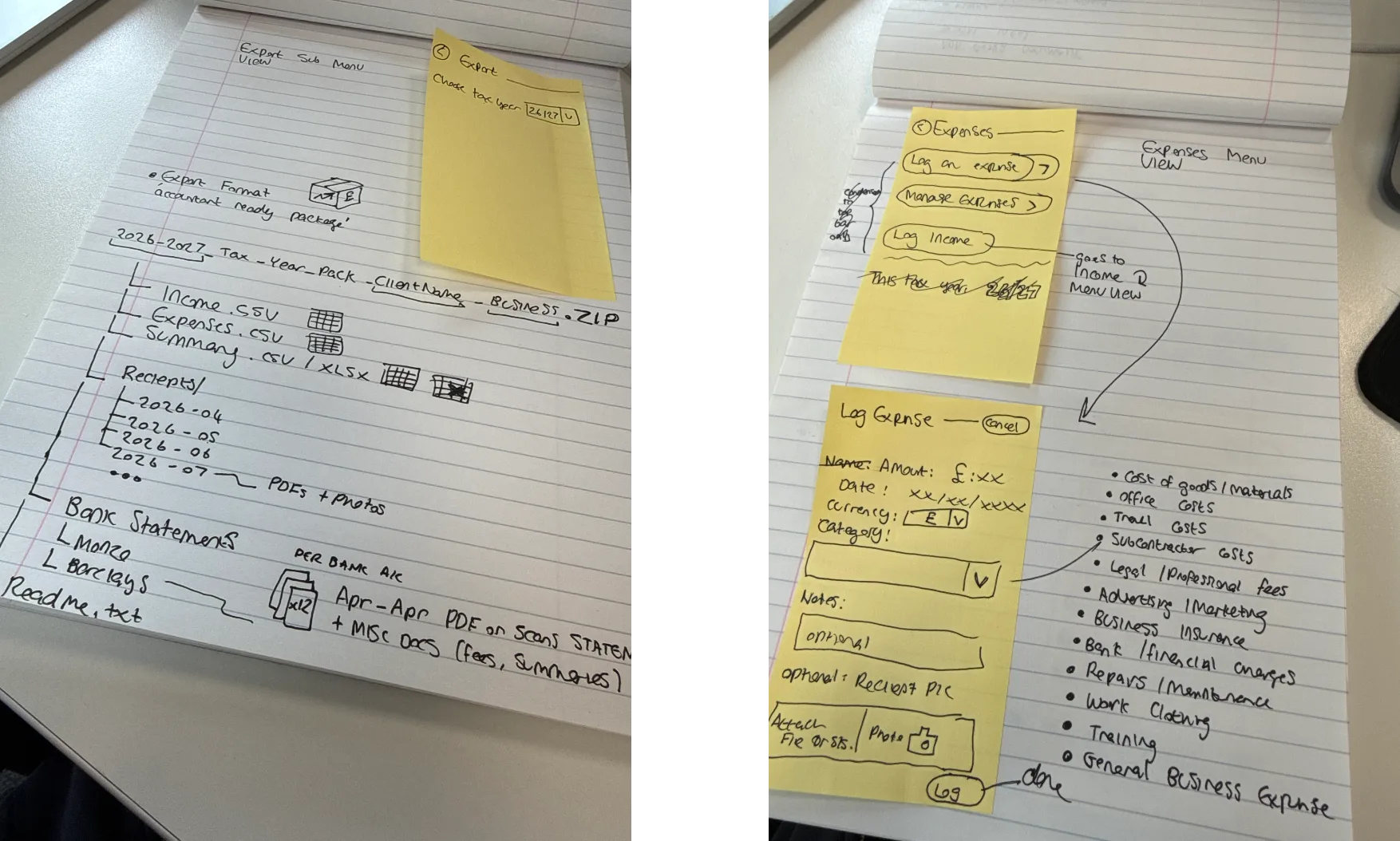
I began with some simple CRUD demos, documentation and observing how others approached it through GitHub. This isn't too dissimilar to some of the C# and .NET stuff we did at college. If anything, easier. SwiftData isn't as upfront and rigid as SQL. Swift itself is much more modern and doesn't require as much fine instructing from the get-go as older languages. But that doesn't mean it always knows exactly what you want. In addition, though it can store files as blobs within the DB, this is obviously not a skilful way to approach it.
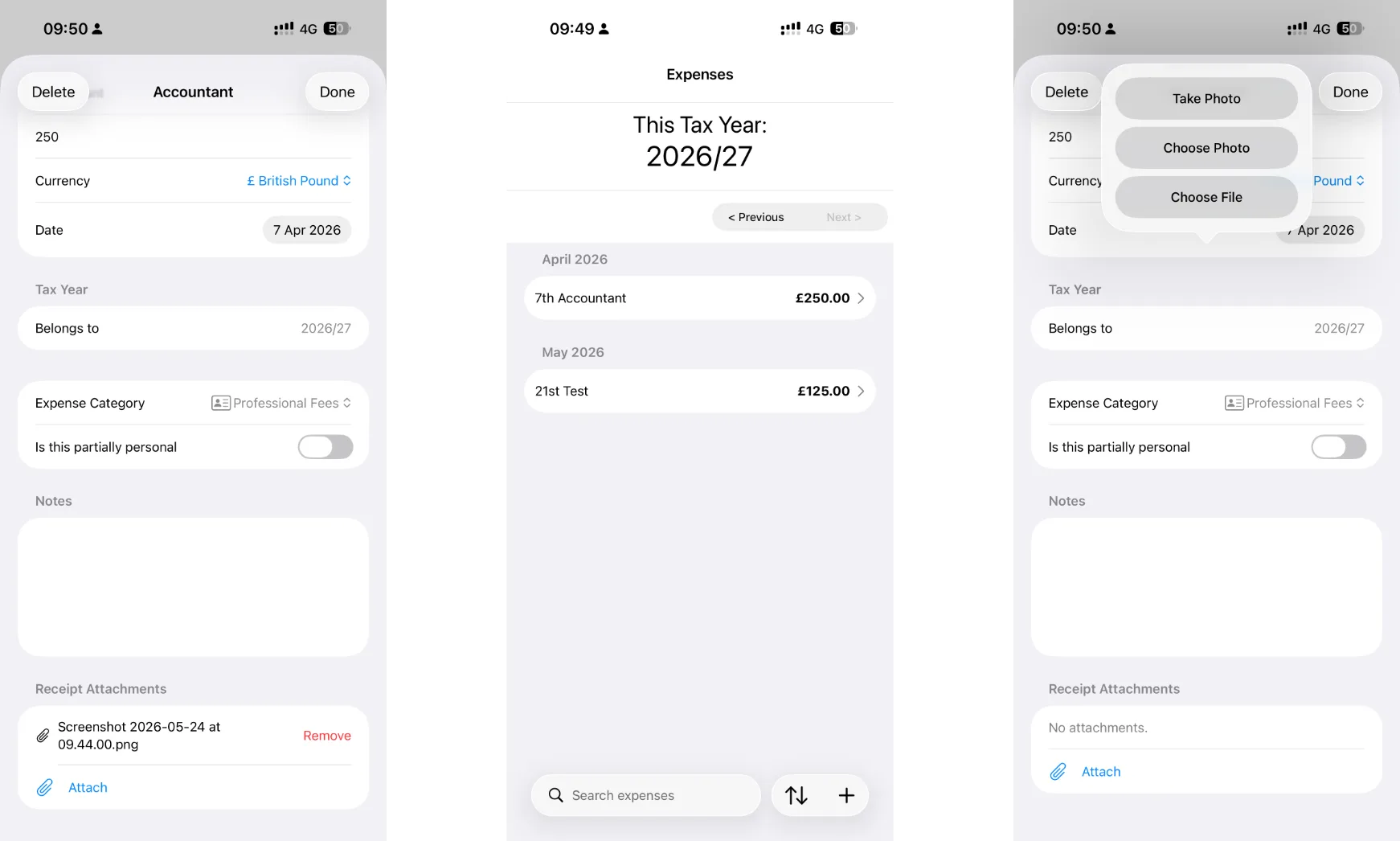
Naively, I presumed things like file picking and persistence were equally ready-to-go and a line or two, and the system knew the rest. That's not the case! I went back to the documentation and found the relevant technologies - fileImporter, camera and photo library APIs. I learnt a lot about the iOS filesystem and the usual popular directories - cache, documents, the app sandbox. Everything in isolation makes sense. Creating a default directory, filename convention, obtaining temporary appropriate scope access to dip into the filesystem to pick a file... or photo. Then there was QuickLook, the API for generating a nice little tile of the document for the user to see and to quickly tap and open for a second - this too, I naively presumed was some sort of built in one-liner addition to my app.
Things bloated up very quickly and with each simple little bit of what was supposed to be a prototype of the expense manager in isolation and its CRUD interface... I found myself trying to rapidly learn and understand a number of APIs. It got overwhelming, to say the least.
I watched a lot of tutorial videos and repeatedly banged my head against the developer docs that Apple host for Swift. I'd say at best I've gotten slightly better at understanding the docs, being able to distinguish the UIKit way of doing something versus the newer SwiftUI way (the docs repeatedly say 'use NSThing or ThingXY' to do X) - now that makes sense. I made an observation that many of those tutorial articles online you see, as well as the videos, suspiciously follow the structure of Apple's sample code more times than not. I learnt that Apple's sample code, whilst definitely top-notch, overwhelms you as a beginner with a bunch of projects and masterful use of Xcode to organise the example into iOS, iPadOS, macOS, watchOS and even tvOS examples. A lot of boilerplate code of 'if tvOS omit X' etc - that made them quite deep to dive into mentally to tune out the bits I don't need to see.
What I really came away with was the understanding of the number of further APIs I need to understand and probably build small, functional utility project apps with first. To truly get my head around. As there is no point mirroring a common implementation now, to forget it and have no idea how it works in a few months. I also don't want to over-explain the code in comments as you'd see today on the Mindful Check-In GitHub repo (though that helped me massively in learning Swift on the fly).
And that's all just from trying to build a small part of the app.
The practical tutorials morphed into 'how to learn XYZ in Swift', which morphed itself into 'why you can't build anything' beginner developer advice videos. I think I've went too fast into it and really will be better served, at this stage, in thinking 'what technologies will an app like this need' - then going away and studying them in isolation. If I build an app that only selected a file, imports it, stores it within the system and nothing else - that'll probably serve me better in the long run. Rather than a last minute, pressured attempt to stick it together in the moulding-clay ball of this prototype app project alongside other attempts to add other APIs that I don't fully understand together and forget them immediately. That'll be the way forward. Smaller, digestible and repeatable chunks.
The project is still going, but it will probably take longer to bear fruit that resembles the final product. And after all, there is no rush. This journey, at least today, is entirely a pursuit of hobbyist development. Putting it on the App Store eventually is just a fun little target. Monetising it eventually is really a way to justify sinking some money into promoting it to get a user base.