Post | 11 Jun 2026
Swift Testing + Mindful Check-In
Other than a very short module in late 2023 of software testing and a small chapter in a textbook about the Django framework, the extent to which I've done testing has been flying through apps myself and putting them in the hands of others to see if they can break them. That got me quite a bit of input for Mindful Check-In - things like prompting users to make a selection before they press next etc.
### Why Swift Testing? So far my favourite platform to develop for has been all-Apple devices and technologies. That's Swift, SwiftUI and now: Swift Testing. The tools are really nice, the language and paradigms fairly modern and safe. It's also quite nice having what you build in your pocket 99% of the time and being able to test it in a variety of situations. I was aware the older default choice for an app like mine is XCTest in all honesty I couldn't get into a list of pros and cons of it other than to say that the modern Swift libraries for basic functionality and UI have served me well so far.
The Goal: Learn Swift Testing, add basic tests
In regards to 'what to test', this is where the help of AI was able to look at the app and pick out some categories. Core logic - question classification, session building for a check-in survey and the use of the JSONEncoder/Decoder as well as the app's ability to persist data between uses.
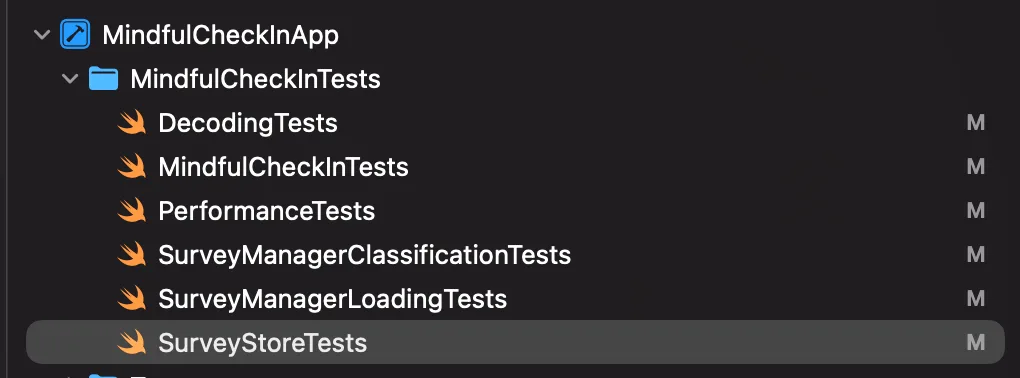
The core building blocks of a Swift Testing implementation
A new target specifically for testing is required in Xcode. This is specifically separate to the actual app target itself.
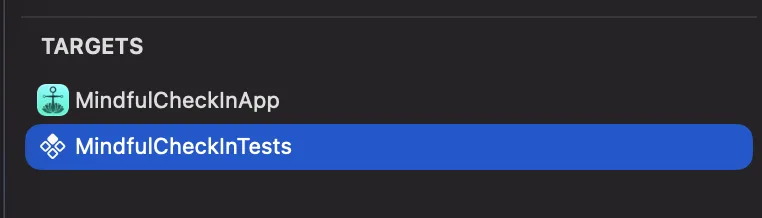
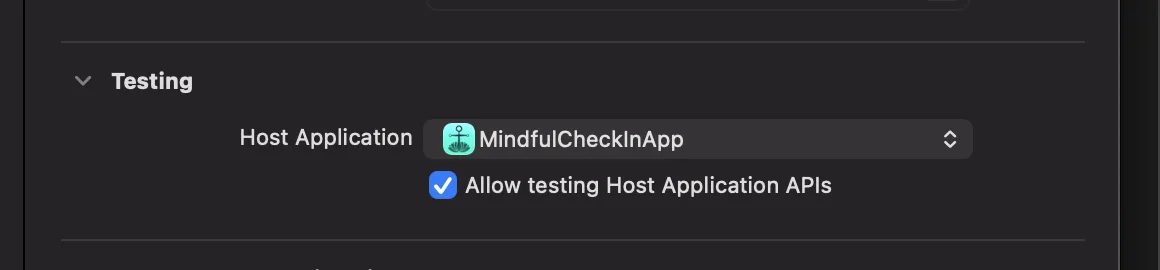
Every test file is a Swift class. It requires the '@testable' import which imports the app project itself so that it can work with and use classes and pieces in testing.
The first port of call was to build a test which simply tested the ability to see a part of the app target. Checking the 'wiring' is right.
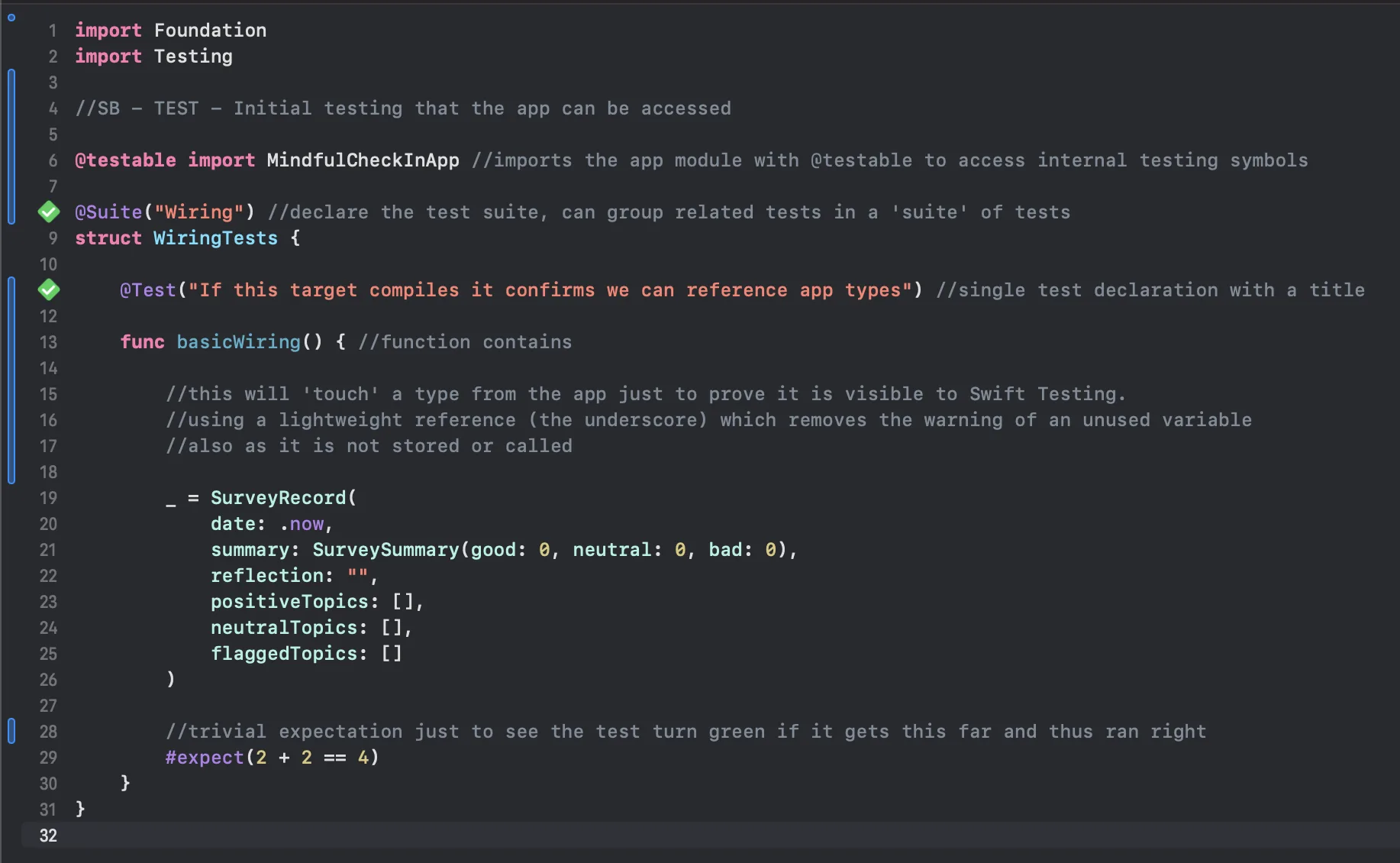
As you can see above, the '@Suite' is the categorical name given to the class where all tests belonging to a certain kind are grouped. E.g. 'performance' or 'calculations'.
Each actual 'test' itself is marked with an '@Test'. Within are simply functions setting up and utilising structs and classes from the app for the purpose of testing.
The final piece is the '#expect' assertion. This is the outcome we want the test to arrive at to obtain a pass. In this example... there is no real logic to it other than if the execution makes it that far without error, then it runs the sum and passes.
What was tested and why...
Classification Logic
SurveyManager.category(for:questions:) was tested. It determines if a response entered by the user is positive, neutral or negative. The end summary UI and saved records use this to present surveys to users. The test covers the default rules and per-question scoring (button inputs).
Excerpt:
#expect(sut.category(for: .scale(5), question: question) == .positive) #expect(sut.category(for: .scale(3), question: question) == .neutral) #expect(sut.category(for: .scale(1), question: question) == .negative)
Session Building
This tests SurveyManager.generateSession(). This is what confirms topics land in the correct answer buckets (again: positive, neutral, negative, or 'flagged' as it is in the code).
Excerpt:
let session = sut.generateSession() //this means 'system under test' and is used a lot across tests #expect(session.positiveTopics.contains(.sleep)) #expect(session.flaggedTopics.contains(.screenTime)) #expect(session.neutralTopics.isEmpty)
Decoding
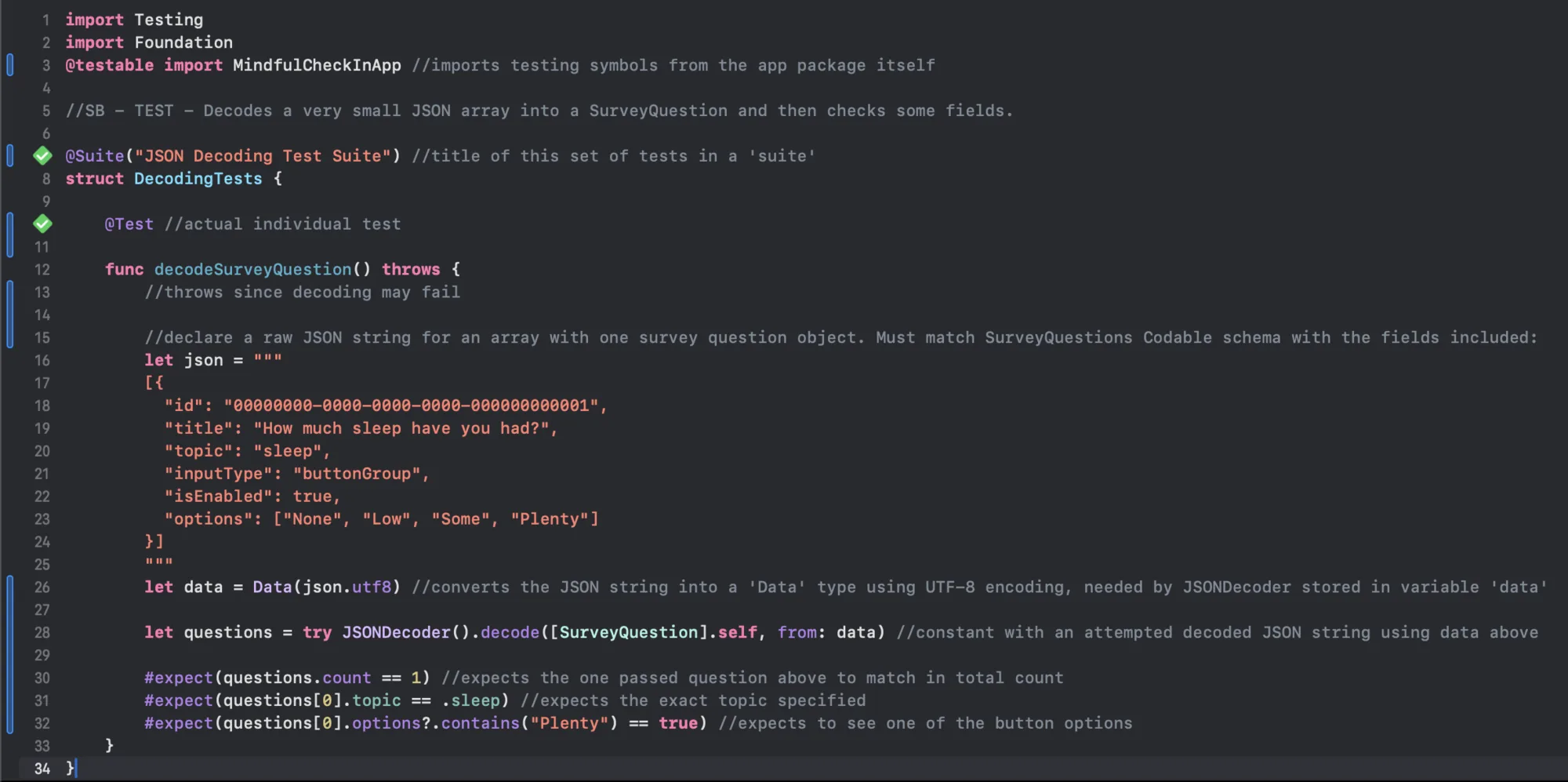
Survey questions are stored in a JSON file within the app's codebase. This tests the SurveyQuestion module's ability to do so with a small injected line of JSON. By providing that in the test it's independent of the files or app bundles themselves.
Excerpt:
let questions = try JSONDecoder().decode([SurveyQuestion].self, from: data) #expect(questions.count == 1) #expect(questions[0].topic == .sleep)
Performance
This test times and benchmarks how fast the code can classify 10,000 answers. The purpose is really to catch a major issue should one occur that begins to push this into unacceptable or non-functional territory.
Excerpt:
let start = clock.now for a in answers { _ = sut.category(for: a, question: question) } let duration = start.duration(to: clock.now) #expect(duration < .milliseconds(200)) //set to 200 just to ensure consistent passes on my Mac - in theory it could be slower and failable if the system is busy as it was with the value of 150 so this prevents flakiness.
Persistence
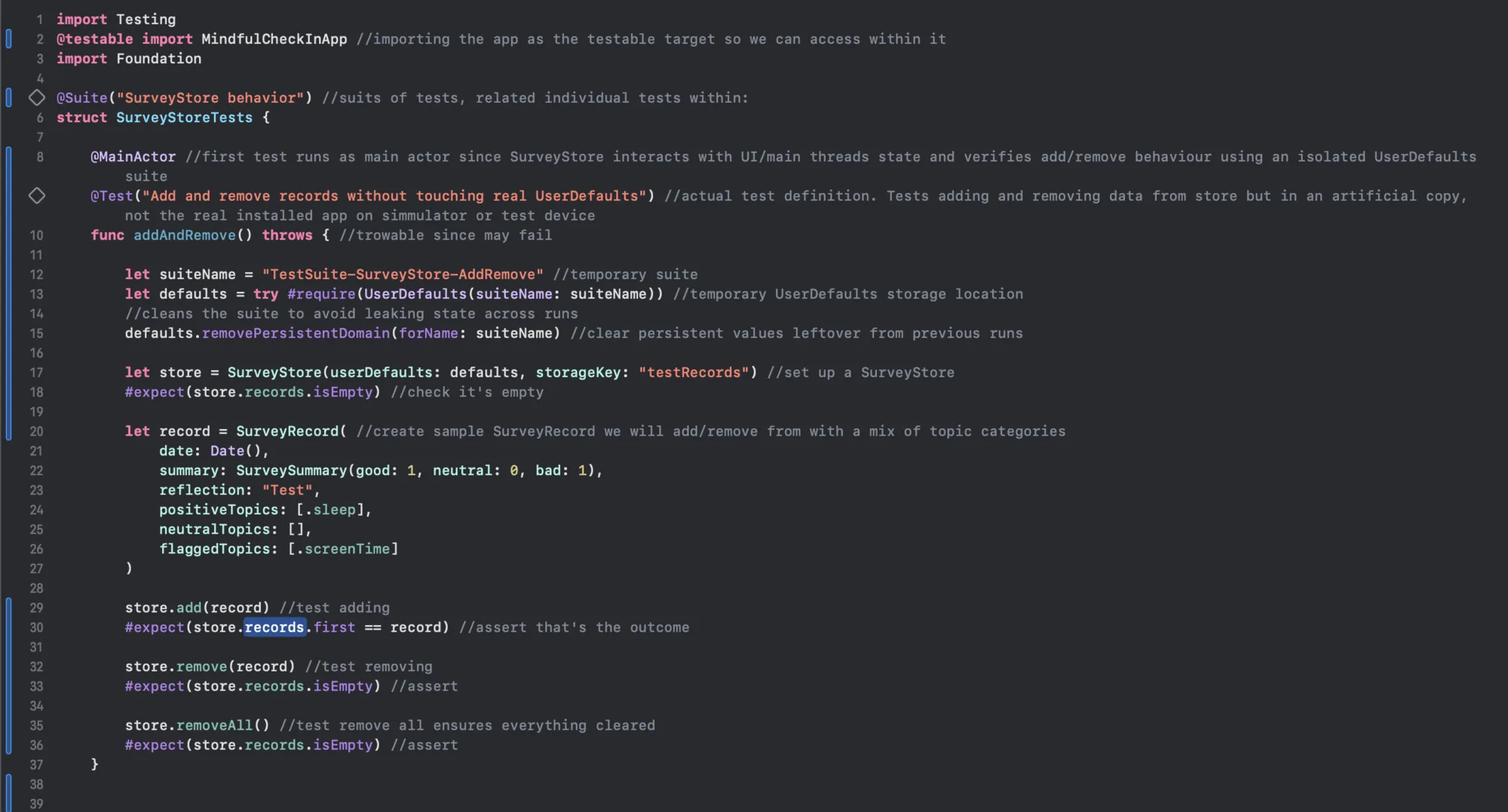
To test that the system is capable of storing records and reading them. As to avoid messing with actual data in the app (from a real device or simulator) a special set of functions actually creates a dummy UserDefaults storage space and SurveyStore instance which only exists for the duration of the test. Because SurveyStore is @MainActor in the real app code, it is annotated with that macro here too in the test.
Refactors on Basic Tests
In the SurveyManager test dataProvider is an overload for the loadQuestions function. This decouples tests from the main bundle and real file input / output of the app. So when real app usage calls loadQuestions() normally from Bundle.main, the test calls the overloaded loadQuestions(dataProvider: () throws -> Data). The overload can throw for bad data but leaves real app data untouched. The app's real loadQuestions() clears its state upon encountering an error.
Difficulties Faced
Initially I had a hard time understanding the separation between my app 'target' and the test 'target'. Some tests were refusing to recognise what the Testing framework was. The fix was moving them into the tests group and ensuring the right target was ticked (the testing target, not the app itself) in File Inspector on the right.
There were (and still are) a bunch of iOS Simulator errors. “IOSurfaceClientSetSurfaceNotify failed e00002c7” and CA Event warnings. I did consult with AI on this and they appear to be fine and sure enough, didn't impact the tests running, passing or failing.
Running Tests
It's really satisfying to watch the Mac fire up simulators and provide output as it runs through tests. Clicking the little diamond on the left gutter of the Xcode editor alongside a '@Test' runs just that test. Next to Suite, and it runs all the tests within. Hitting CMD + U
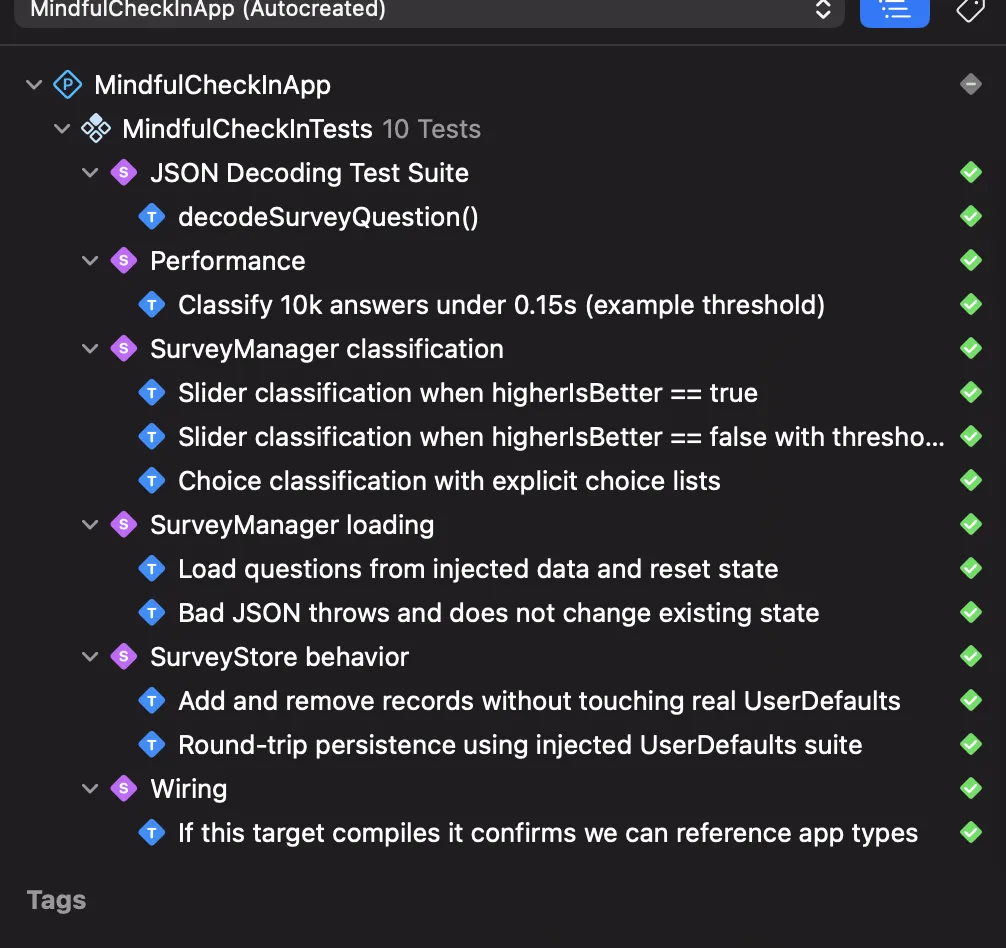
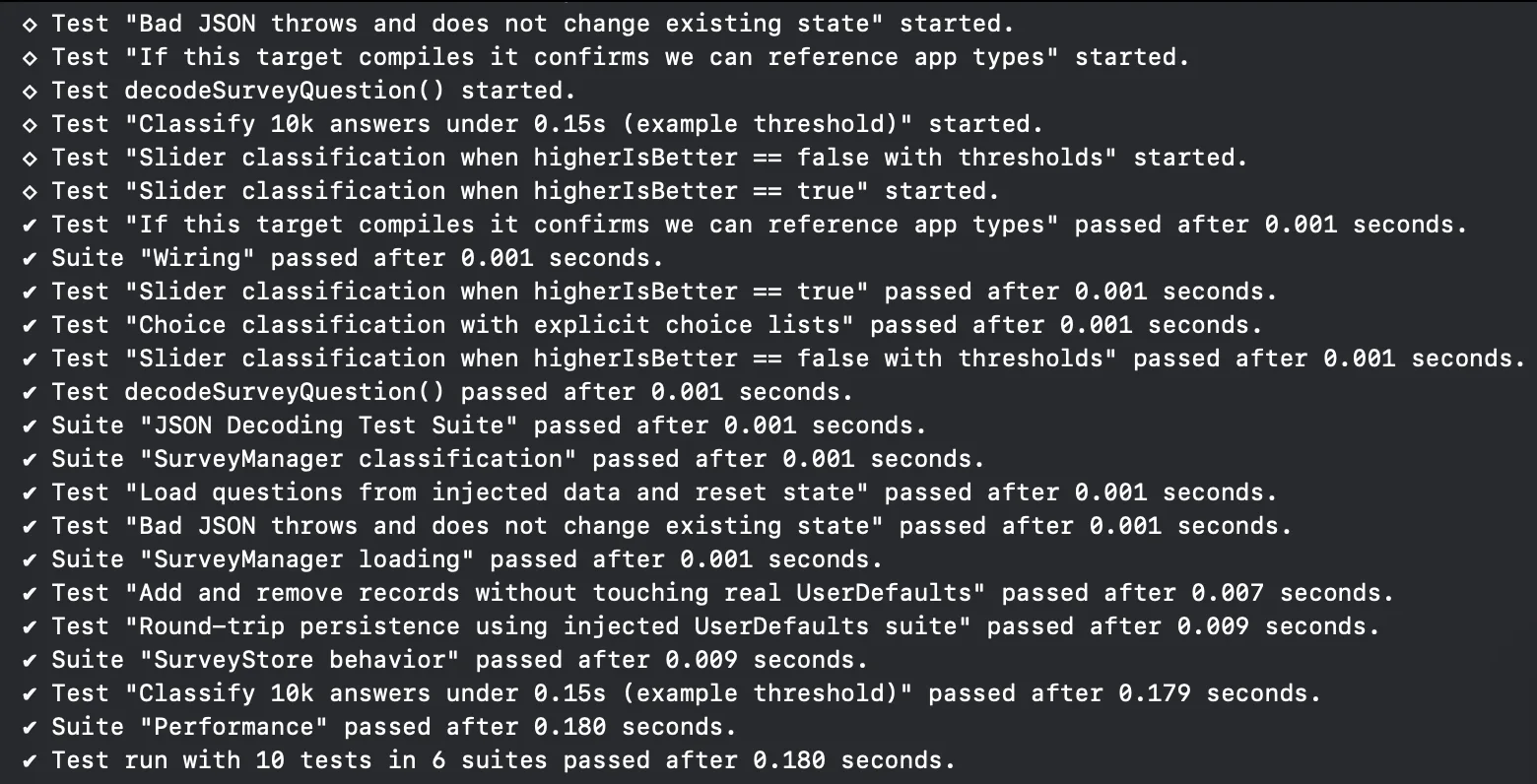
All tests passed. As development continues and things inevitably evolve or get refactored... it will be telling to see if and when and which tests fail.
Next Steps
I'd like to have a test that runs, but not in the background, which can input and check that a full Check-In survey can be run through. This would be much more complex than the five tests above. It might also require XCTest. One issue with some of the modern Swift stuff is that a lot of it hasn't yet been developed to be quite as capable as the old school approaches. Though that's not often a big issue for me as a beginner.